Your branded ordering website
Your menu, food photos and colours, on your own domain. A clear journey from browsing to basket.
Your restaurant. Your ordering website.
Customers order from your brand. Your team runs orders in one clear workspace. Your setup, receipt and launch progress stay connected to one account.
Creating an account is free · save your setup and return anytime
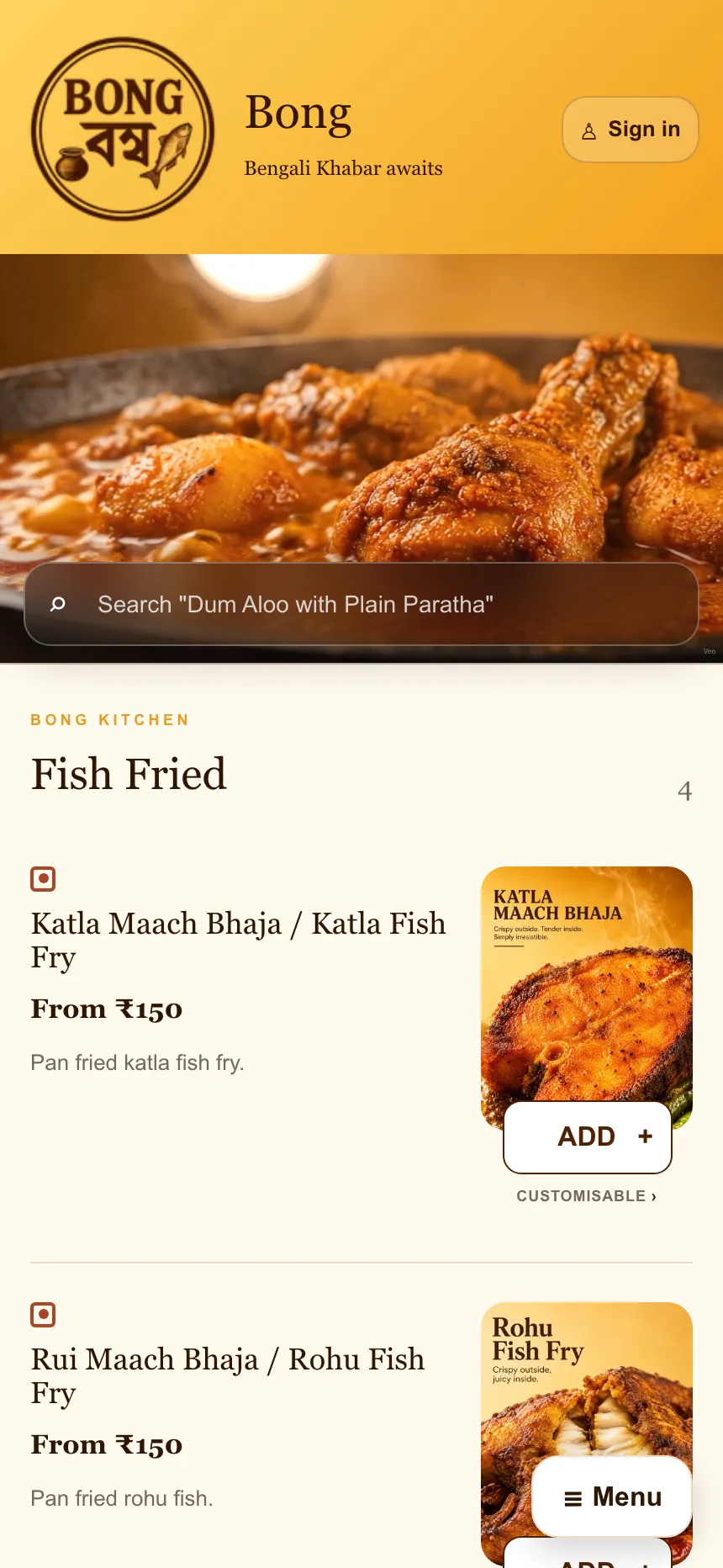
Order #1048Preparing
Bong Foods live customer ordering + the SP Partner restaurant workflow.
No GST added. Monthly billing begins after actual launch and your mandate authorisation. Delivery, payment processing and agreed usage are separate.
What you get
One connected service, with a clear role for your restaurant and a clear role for SP.
Your menu, food photos and colours, on your own domain. A clear journey from browsing to basket.
Orders, Menu and Help. Accept an order, set preparation time, mark it ready and keep availability up to date.
We guide the connection. You complete provider verification; food sales settle through your restaurant’s account.
Supported bookings and delivery updates through an approved provider. Coverage is checked for your outlet; delivery charges are separate.
Menu setup, a branded preview, ordering checks and a practical staff handover before launch.
Hosting, standard maintenance and the agreed support service. The allowance and service hours are confirmed before purchase.
SP Partner
Accept an order and choose preparation time. Keep the menu current. Open Help with the order attached.
Try the kitchen walkthrough →The walkthrough is a safe demo of the same core order routine Bong Foods uses in production.
Choose prep time. Follow the countdown.
Confirm early if your food is ready sooner.
Keep food and rider updates distinct.
Your money. Your identity.
The provider’s fees, verification and settlement schedule apply. SP’s fee is separate from your food sales.
Delivery depends on approved coverage and account arrangements. Charge a disclosed customer fee or absorb the cost.
You retain your brand, content and domain. SP operates its reusable software as a licensed service. Access, export and exit arrangements are explained before purchase.
From account to launch
Verify once. Your setup and future workspace stay connected.
Add outlet, business, brand, menu and operations details.
Choose a plan and read the exact terms before payment.
Follow verified progress, approve the preview and train your team.
Provider checks and launch testing remain separate. Payment alone does not make a restaurant live.
Live client work
Bong Foods is a live SP Studios client implementation. Customers place real orders on the restaurant website, confirmed orders arrive in SP Partner, the kitchen accepts and prepares them, and the workflow continues through rider pickup and delivery completion.
Bong Foods is operated by Sohan and his family, so this is founder-connected client work—not an unrelated third-party endorsement. We do not attach invented sales, savings or revenue claims to it.
See the live Bong Foods client case →Before you start
No. Customers order from your restaurant’s website. SP provides the ordering platform and agreed setup and care. You can keep using marketplaces for discovery.
This gives you a direct channel for your audience. It does not guarantee customers, savings or sales. Marketing campaigns are not included in these plans.
Your restaurant keeps its brand, content and domain. SP’s reusable software is licensed as a service. Data access, exports and exit arrangements must be recorded in your package before payment.
Your connected payment account receives food payments. Your provider handles settlement to your business bank account under its fees and settlement schedule. SP’s setup and subscription fees are separate.
Your restaurant funds deliveries under the approved provider arrangement. You may pass on a disclosed delivery fee or absorb it. Provider charges can be due before customer funds settle.
Setup covers configuration and launch. After one free calendar month from actual launch, monthly auto-pay covers platform access, maintenance and support: Starter ₹1,999, Growth ₹2,499 or Pro ₹3,499. You separately authorise the mandate before launch and can cancel before the first charge or a future renewal.
We confirm the timeline after checking your menu, branding, account access and provider activation. Your preview is reviewed before a complete order test and staffed launch.
Cancel before work begins for a full setup refund. Once work starts, the setup fee is non-refundable, subject to your accepted terms and applicable law. Cancel future monthly charges through your billing page. Request a data export within 30 days after service ends.
Yes. Choose Starter, Growth or Pro, sign in and review your plan before paying the one-time setup fee. Your restaurant remains in setup until launch checks are complete.
Start with your account
Add your restaurant once, continue later and see the real next step every time you return.
Create your account ↗Free to create · no payment until you review a plan